

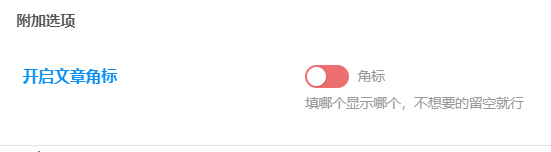
添加教程
-
- 首先是在后台添加css代码
- 将下面代码添加进子比主题下的func.php文件内,若没有则创建一个,如果是新建func.php文件夹记得复制<?php 去掉前面两竖线
- 打开子比主题文件夹下的inc/functions/zib-post-list.php文件,搜索 置顶 添加以下代码
//添加在这个代码的下面
 if (is_sticky()) {
        $sticky = '<badge class="img-badge left jb-red">置顶</badge>';
    } else {
        $sticky = '';
    }
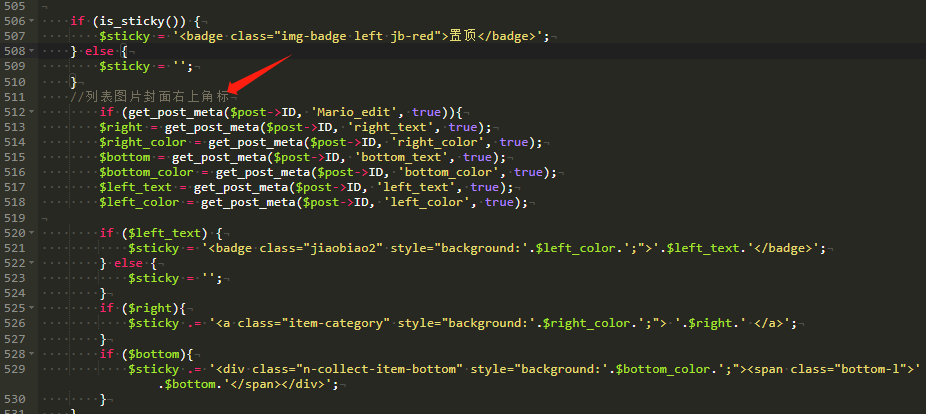
将以上代码下面添加以下代码:
//列表图片封面右上角标
        if (get_post_meta($post->ID, 'Mario_edit', true)){
        $right = get_post_meta($post->ID, 'right_text', true);
        $right_color = get_post_meta($post->ID, 'right_color', true);
        $bottom = get_post_meta($post->ID, 'bottom_text', true);
        $bottom_color = get_post_meta($post->ID, 'bottom_color', true);
        $left_text = get_post_meta($post->ID, 'left_text', true);
        $left_color = get_post_meta($post->ID, 'left_color', true);

        if ($left_text) {
            $sticky = '<badge class="jiaobiao2" style="background:'.$left_color.';">'.$left_text.'</badge>';
        } else {
            $sticky = '';
        }
        if ($right){
            $sticky .= '<a class="item-category" style="background:'.$right_color.';"> '.$right.' </a>';
        }
        if ($bottom){
            $sticky .= '<div class="n-collect-item-bottom" style="background:'.$bottom_color.';"><span class="bottom-l">'.$bottom.'</span></div>';
        }
    }
4.然后刷新看效果,本站首页已经在使用
感谢您的来访,获取更多精彩文章请收藏本站。
© 版权声明
1、本内容转载于网络,版权归原作者所有!
2、本站仅提供信息存储空间服务,不拥有所有权,不承担相关法律责任。
3、本内容若侵犯到你的版权利益,请联系我们,会尽快给予删除处理!
4、本站全资源仅供测试和学习,请勿用于非法操作,一切后果与本站无关。
5、如遇到充值付费环节课程或软件 请马上删除退出 涉及自身权益/利益 需要投资的一律不要相信,访客发现请向客服举报。
6、本教程仅供揭秘 请勿用于非法违规操作 否则和作者 官网 无关
THE END